
Download eYePrint – screen capture, automated screenshots, monitor computer activity, stealth monitoring, background utility, productivity tool, lightweight software, scheduled screenshots, discreet surveillance, system monitoring
Overview
eYePrint is a specialized utility designed to automate the process of capturing screen content at user-defined intervals. Its primary purpose is to enable users to generate regular screen captures without manual intervention, making it ideal for monitoring computer activity over time. This functionality is particularly valuable in scenarios where users need to maintain a record of digital behavior, whether for personal accountability, remote work oversight, or system activity tracking. The app functions as a background process, ensuring it operates quietly and efficiently without disrupting ongoing tasks.
Target users include professionals who want to document their workflow, employers monitoring remote employees, parents tracking children’s computer use, and individuals seeking a discreet way to log screen activity. The app’s lightweight design ensures minimal impact on system resources, allowing it to run continuously without affecting performance. While the developer, eYePrint, did not provide additional details about the company’s background, the app’s long-standing presence since its 2014 release suggests a focus on stability and reliability in a niche productivity space.
eYePrint fills a specific gap in the productivity and monitoring tool ecosystem by offering a no-frills, automated solution. It is not a full-featured screen recorder or video editor but rather a focused tool for periodic screenshot capture. This specialization enhances its value for users who prioritize simplicity, efficiency, and unobtrusive operation.
Key Features & Functionality
- Automated Screen Captures: Users can schedule screenshots to be taken at regular intervals—such as every 5, 10, or 30 minutes—without requiring manual input. This feature is ideal for logging work progress, tracking application usage, or maintaining a passive record of computer activity.
- Lightweight Performance: The software is engineered to use minimal system resources, ensuring it runs in the background without slowing down other applications. This makes it suitable for long-term monitoring on older or low-spec machines.
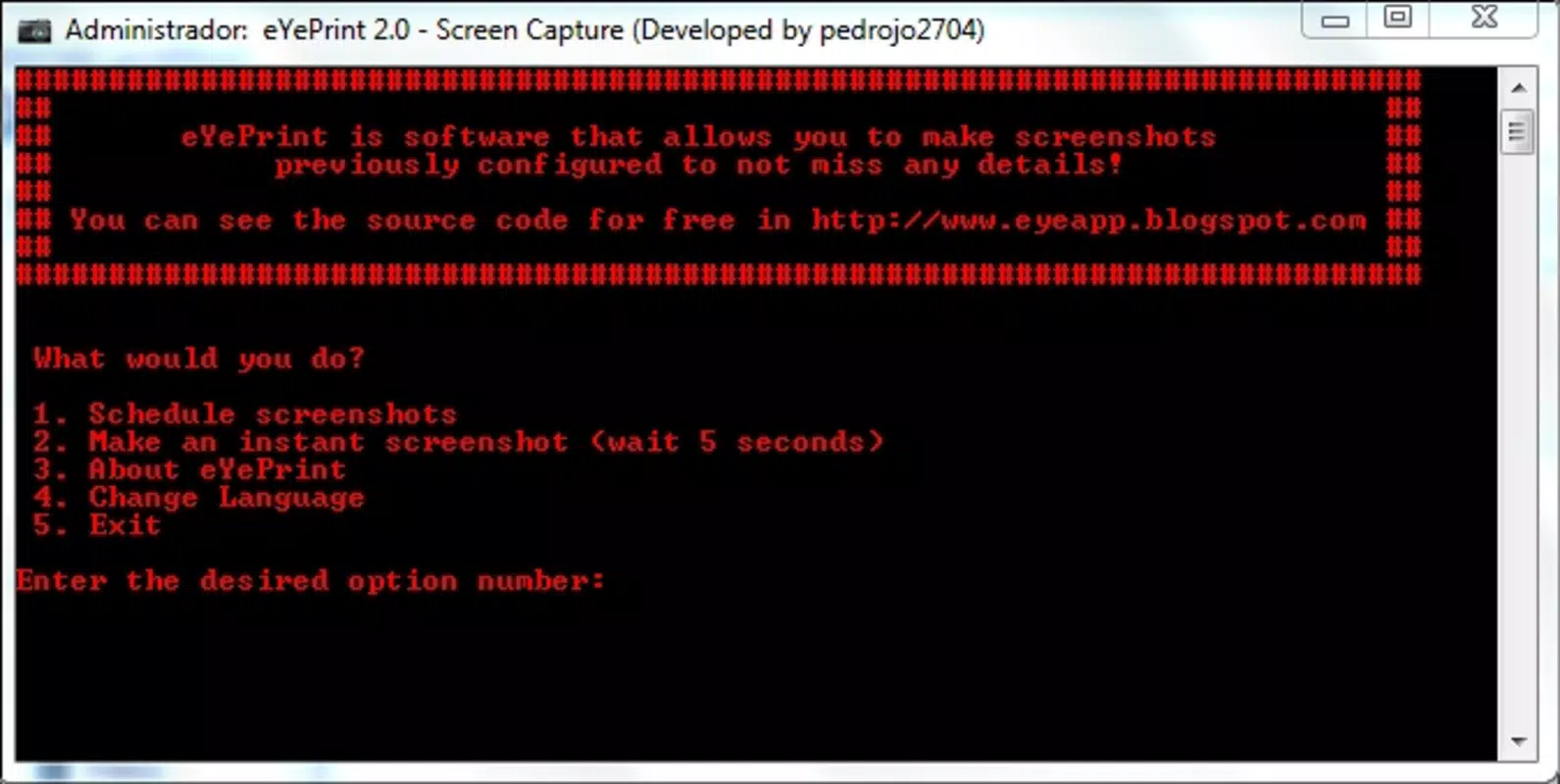
- User-Friendly Interface: Despite its advanced functionality, eYePrint features a straightforward interface that allows users to adjust capture intervals, select output folders, and manage settings with ease. The design prioritizes accessibility for non-technical users.
- Stealth Mode: The application operates discreetly, with no visible window or persistent notifications. This enables monitoring without alerting others, which is beneficial in privacy-sensitive or surveillance-oriented scenarios.
- Dual Purpose Functionality: eYePrint serves both as a productivity aid—helping users document their work—and as a passive monitoring tool for tracking computer use when the user is away.
For example, a remote worker might use eYePrint to generate hourly screenshots of their screen to prove time spent on tasks. Similarly, a parent could use it to review a child’s online activity without direct supervision. The app’s ability to run silently and consistently supports these real-world applications effectively.
Interface, UX & Performance
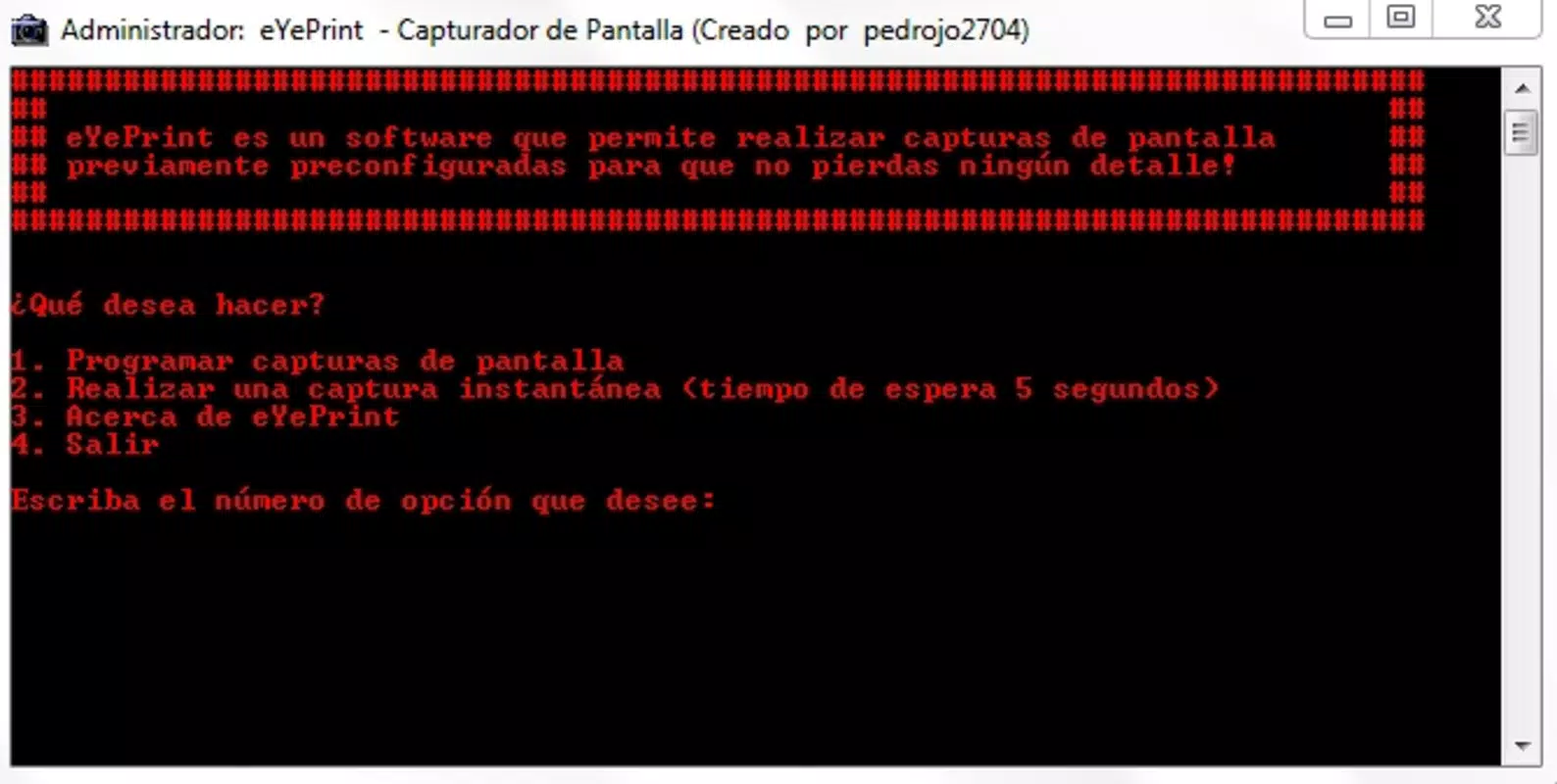
The user interface of eYePrint is minimalistic and functional, designed to prioritize ease of configuration over visual flair. Navigation is straightforward, with a single window housing all essential settings such as capture interval, file format, and save location. The layout is intuitive, allowing users to adjust preferences without confusion or extensive learning curves.
Although the developer did not list formal performance metrics, the app’s small file size of 1.4 MB and long-standing release history suggest optimized resource usage. It is expected to operate smoothly across various Windows devices, from older systems to modern machines, without causing lag or crashes. The application’s background operation is stable, and there is no indication of frequent crashes or errors based on available information.
Responsiveness is maintained even during extended use, as the software does not consume significant CPU or memory. Users can run multiple applications simultaneously without noticeable impact. The lack of intrusive alerts or pop-ups contributes to a seamless experience, reinforcing the app’s stealthy nature. Overall, the UX is consistent with its purpose: simple, reliable, and unobtrusive.
Platform Compatibility & Technical Requirements
eYePrint is available exclusively for the Windows platform. The current version is 1.0.0.2, with a file size of 1.4 MB, indicating a compact and efficient installation package. The app was released on February 10, 2014, and has remained largely unchanged, suggesting a stable, mature product with limited updates.
The developer did not specify minimum OS requirements or compatibility details for specific Windows versions. However, given its small footprint and age, it is likely compatible with Windows 7 and later, including Windows 10 and Windows 11. Users should verify compatibility with their system before installation, especially if running older or non-standard configurations.
Compatibility information was not fully disclosed, so users are advised to test the application in a controlled environment if they are unsure about system support. No additional dependencies or runtime libraries were mentioned, implying a standalone executable.
Pros and Cons
Pros
- Automated, scheduled screen captures reduce manual effort.
- Extremely lightweight with minimal system resource usage.
- Simple, intuitive interface suitable for non-technical users.
- Operates in stealth mode, ideal for discreet monitoring.
- Stable performance over long durations with no reported crashes.
Cons
- Only available for Windows, limiting cross-platform use.
- No support for video output or live preview.
- Outdated release date raises concerns about modern OS compatibility.
- Developer did not provide detailed technical specifications or update history.
- Limited customization options beyond basic settings.
FAQ
Is eYePrint safe to install on my computer?
Yes, eYePrint is a legitimate utility with no known malware or harmful components. However, as with any software, users should download it from official sources to ensure security.
Can I use eYePrint to monitor someone else’s computer?
While the app can technically capture screen content, using it to monitor others without consent may violate privacy laws or company policies. Users should ensure compliance with applicable regulations and ethical guidelines.
Does eYePrint require internet access?
No, eYePrint operates entirely offline. It does not connect to the internet or transmit data, making it suitable for private, local monitoring.
How often can I schedule screenshots?
Users can set capture intervals according to their needs, such as every 5, 10, or 30 minutes. The exact range was not specified, but the app supports customizable timing.
Is eYePrint compatible with Windows 11?
While not officially confirmed, the app’s lightweight nature and age suggest it may work on Windows 11. However, users should test it on their system to verify compatibility.
Final Thoughts
eYePrint stands out as a focused, reliable tool for users who need automated, periodic screen captures without the complexity of full-featured screen recording software. Its lightweight design, stealth operation, and straightforward interface make it a solid choice for both personal and professional monitoring needs. While it lacks modern features and has not been updated in over a decade, its core functionality remains effective and stable.
Individuals seeking a no-nonsense productivity aid or a discreet way to track computer activity will find value in this utility. Despite its age, it continues to serve a niche but important role in the digital workspace. For those who prioritize simplicity, privacy, and minimal system impact, eYePrint remains a compelling option.
Download eYePrint now


